There's no shortage of good content for product managers. Lenny's Podcast, SVPG, First Round, Mind the Product - each pushing out multiple videos a week. The problem isn't finding the content. It's knowing which content is worth my time. And, with the clickbait titles, sometimes the real value is buried in the video.
I kept having two experiences: watching something for an hour then realising the insights (although useful) were more valuable at later stage or enterprise, where I'm at a Series A fintech. Or, I'd skip something because the title sounded generic, only to hear a colleague reference that exact video a week later.
With a young family, I can't afford to spend all day watching/listening to content. I needed something that could filter for me - not based on popularity or recency, but based on my actual situation.
The core insight
Most YouTube tools summarise content. But a summary doesn't tell you whether something is relevant to you. A video about "building product strategy" might be essential or useless depending on whether you're at a seed stage startup or a public company, whether you're an IC or managing a team, whether you're working on pricing or platform.
LLMs are remarkably good at this kind of contextual judgement - but only if you give them context. The same model that gives generic advice to a generic prompt can give specific, actionable recommendations when it understands your role, your goals, and what you're working on right now.
This has been the key unlock. Claude in my case has a lot of context about my situation, work, challenges and aspirations, and is able to use (and update) that context when reviewing the videos.
How it works
The tool monitors chosen YouTube channels and sends a daily email rating each video against your specific context.
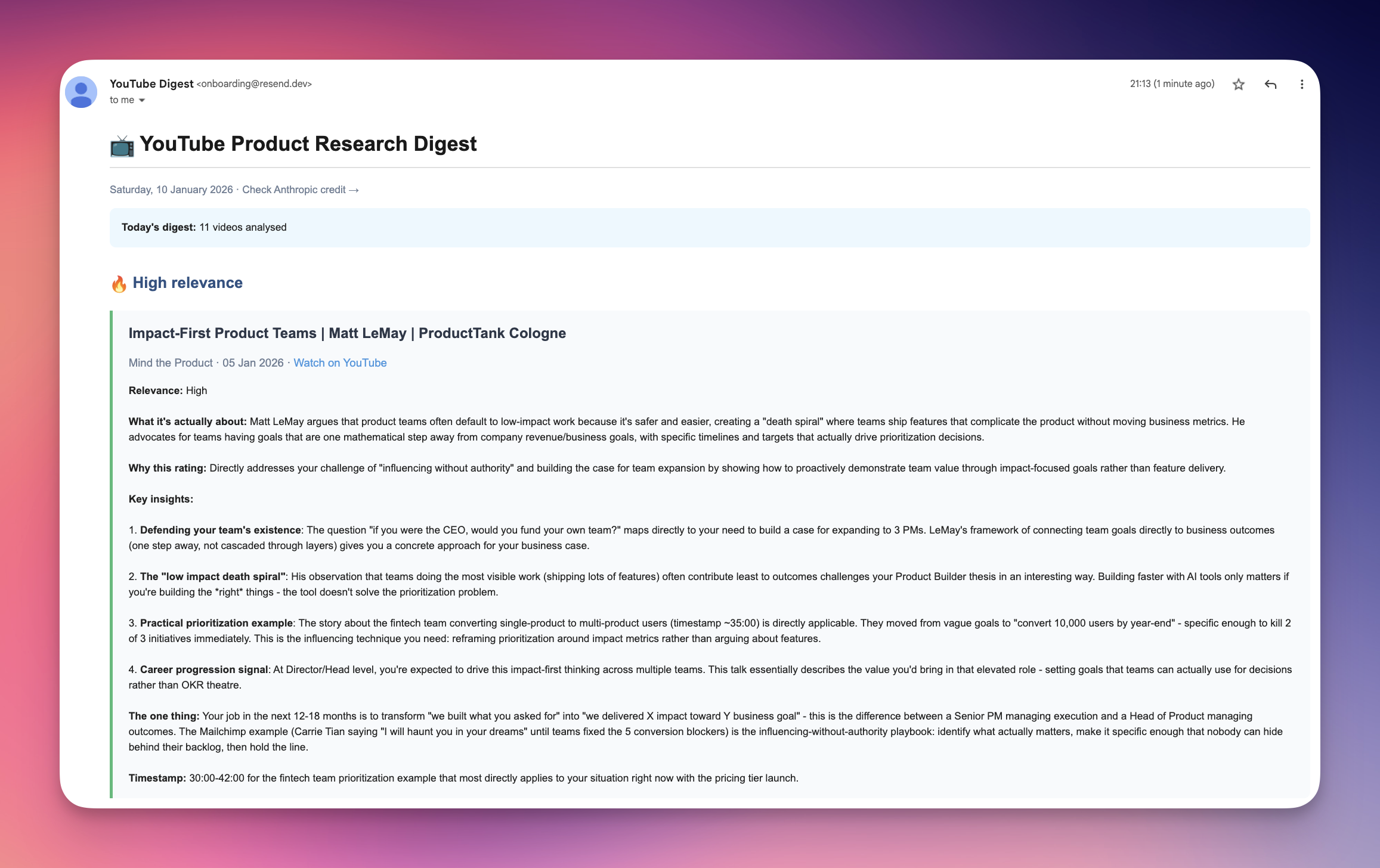
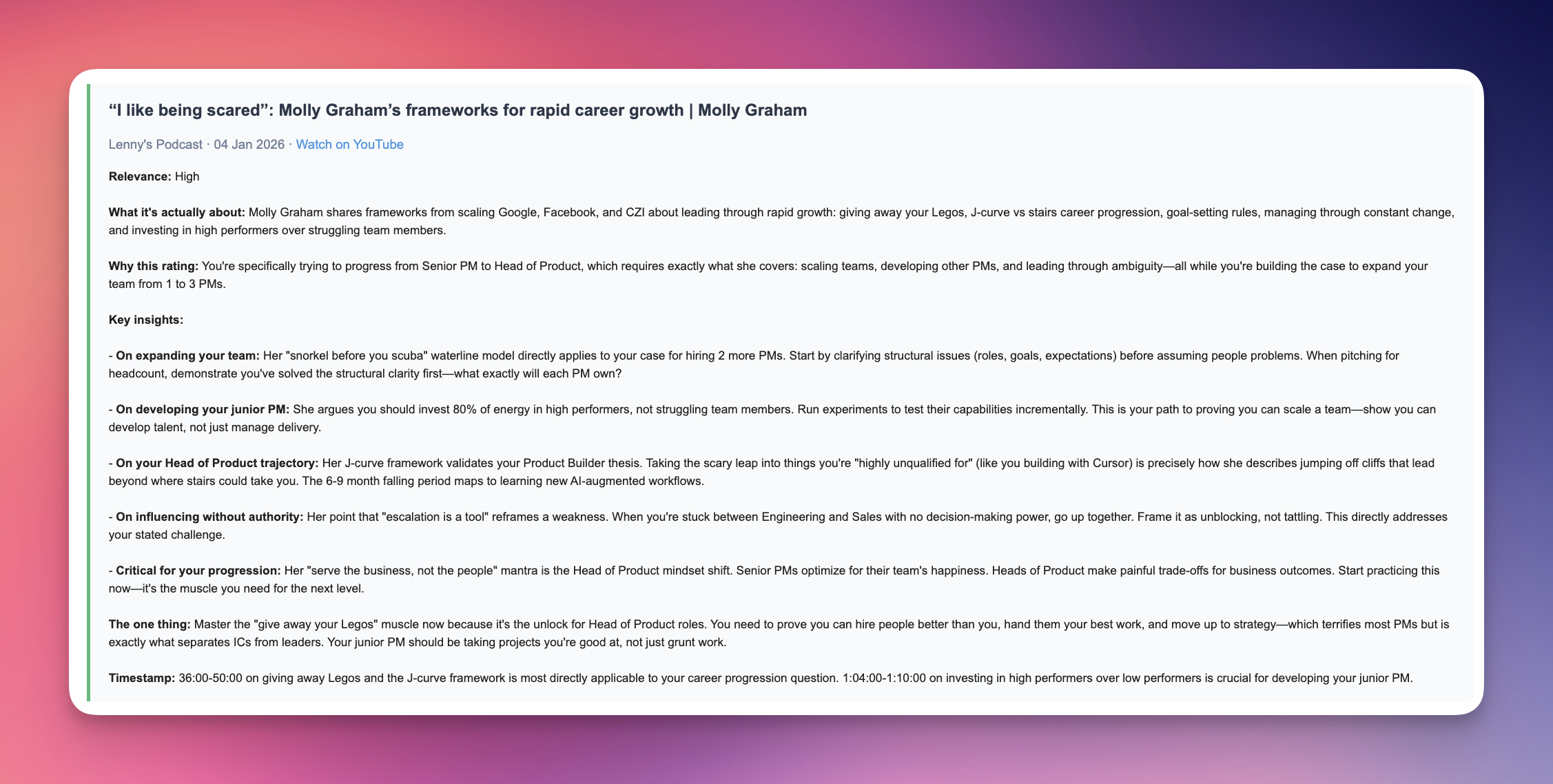
For high relevance videos, it doesn't just summarise - it translates. What does this mean for your specific situation? Which parts are most applicable? What timestamp should you skip to?
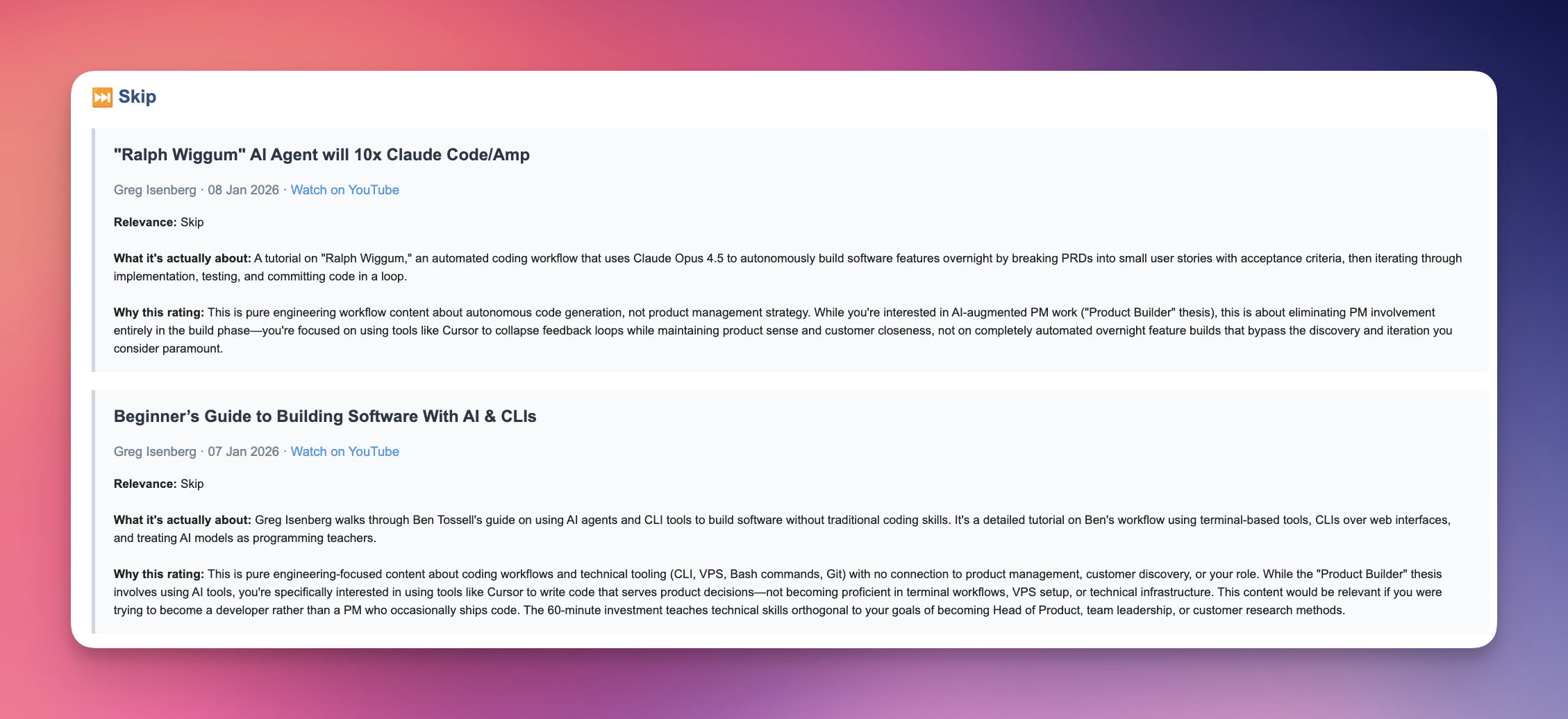
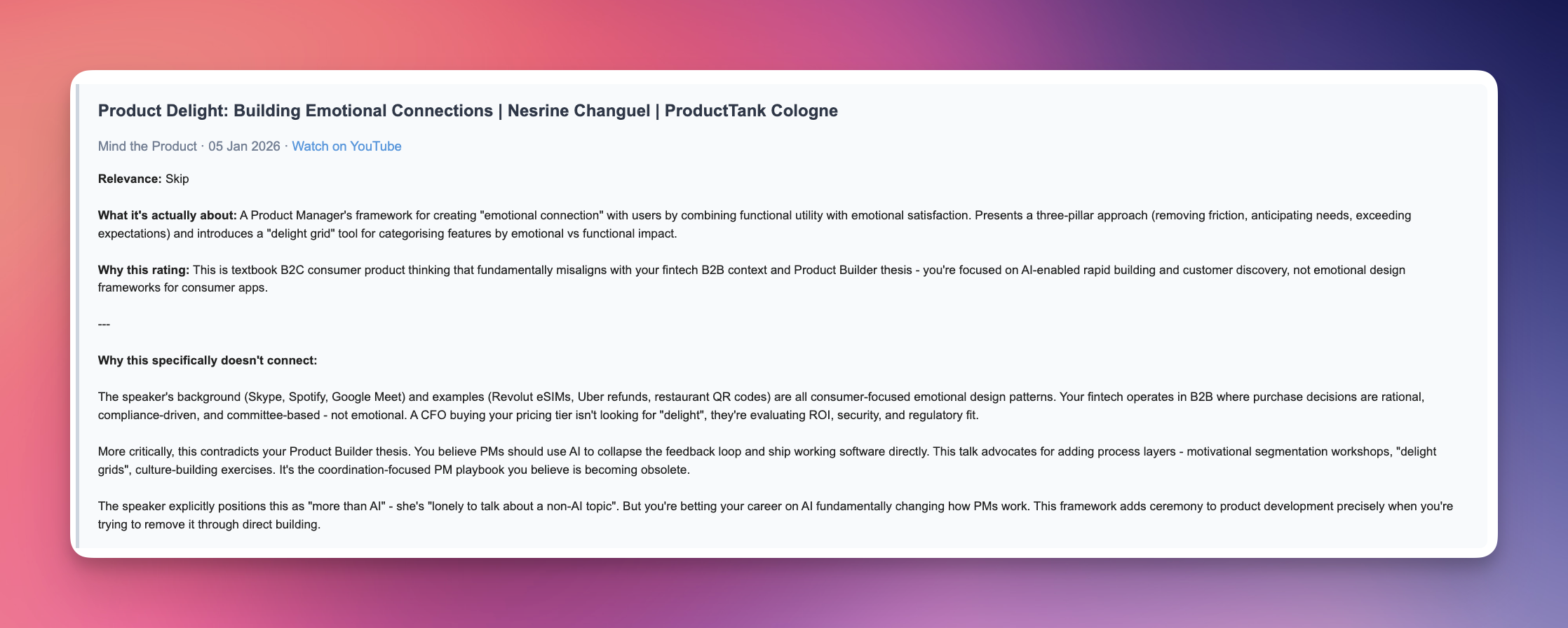
Skip ratings matter as much as recommendations. Knowing why something isn't relevant lets you skip with confidence instead of wondering if you're missing something.
What I've noticed after a few weeks
I'm saving around two hours a week, which is massive! That's partly from not watching irrelevant content, but mostly from the confidence to skip - I used to half-watch things "just in case."
More surprising: it's surfacing gaps in my knowledge I didn't know I had. Because the context file includes my goals and current challenges, the tool flags content I wouldn't have clicked on but probably should. A video titled "Frameworks for rapid career growth" sounds generic. But when the digest explains it directly addresses scaling teams from 1 to 3 PMs and influencing without authority - both things in my context - I pay attention.
The context file
The value comes from a single markdown file which describes your situation: your role, what you're working on, what you're trying to learn, and what's not relevant right now.
Here's an example:
## Role and situation
- Senior PM at a Series B fintech (£30m ARR, 120 people)
- 3 years in role, managing one junior PM
- Targeting Head of Product in the next 12-18 months

## What I'm working on right now
- Leading the company's biggest launch of the year (new pricing tier)
- Building the case for expanding my team to 3 PMs
- Trying to get better at influencing without authority

## What I'm actively trying to learn
- Operating at a strategic level (less feature, more outcome)
- Building and presenting product strategy to execs
- Managing and developing other PMs

## What's NOT relevant to me right now
- Founding a startup (I'm not leaving)
- Enterprise sales (we're product-led growth)
- Early-career PM advice
Over the last year, I've been using Claude regularly to build up a rich context about my life, career, and aspirations. Not for any specific project - just as part of how I work. That investment pays off here. The context file I feed into this tool isn't something I had to write from scratch; it's a distillation of what Claude already knows about me.
That's where the real value is. Anyone can build a tool that summarises YouTube videos. The differentiation is giving the LLM genuine context about who you are and what you're trying to achieve, then surfacing that in useful ways.
If you already have work context built up in Claude or ChatGPT, you've done the hard part over time. You can ask your LLM to generate a context file for you - there's a prompt in the repo that does exactly this.
How I built it
About a day to build the initial version using Claude Code, then a couple more days to open source it properly. The core is simple: monitor RSS feeds, fetch transcripts via Supadata API, analyse against unique context, send email via Resend. I added a few quality-of-life touches like checking my Anthropic API balance in each digest so I don't accidentally run it to zero.
This was also my first time open-sourcing a tool I'd built, which made the following point invaluable. I asked Claude to test the setup experience by simulating a new user: clone the repo to a fresh directory, follow the README exactly, and report every point of friction. I didn't think it would be able to, but got a shock when it was able to test the whole flow, finding multiple friction points along the way.
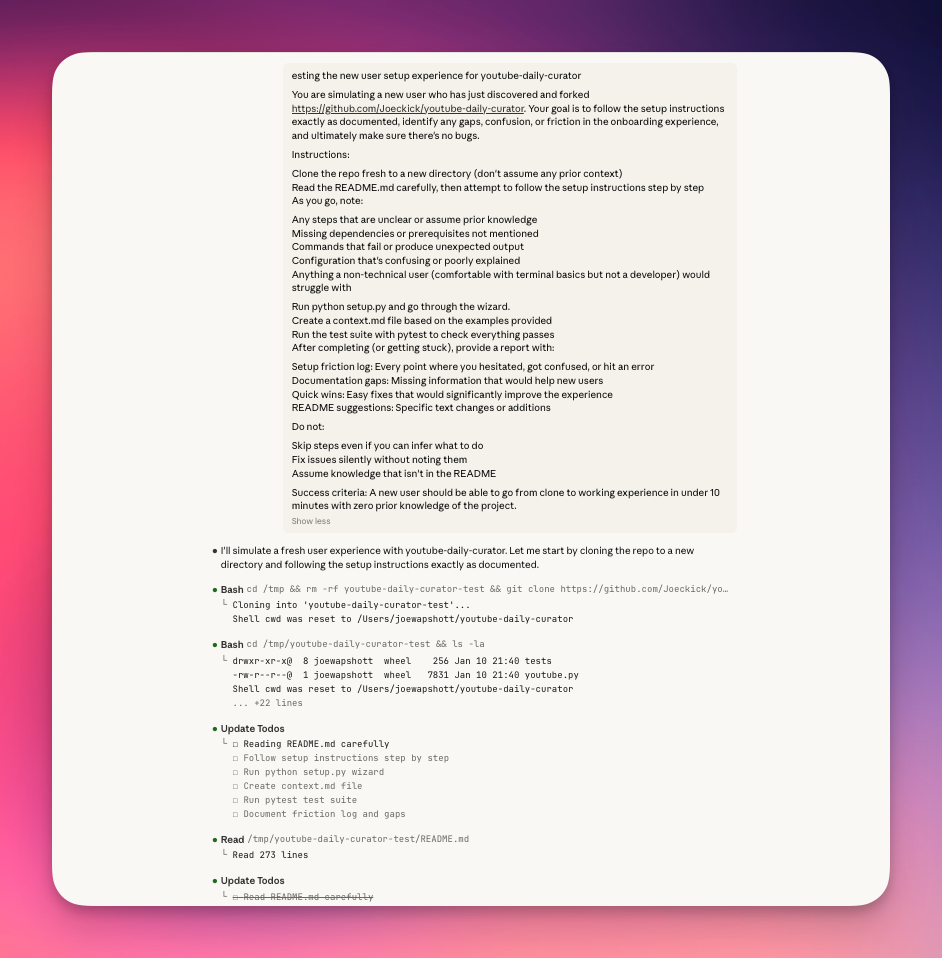
It found things I'd completely missed. A duplicate line in my documentation. A referenced screenshot that didn't exist. Instructions that assumed knowledge I hadn't provided. It produced a full friction report with specific fixes.
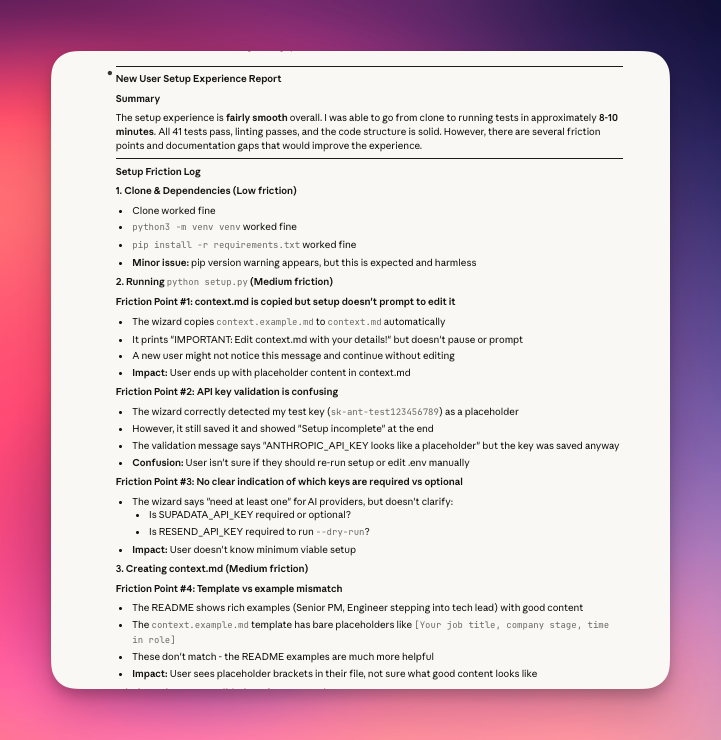
For someone who'd never shipped an open source project before, having an AI simulate the entire new user journey before any real users tried it was remarkable. It caught the bugs before anyone else could, meaning that it's good to go now for people to fork.
Try it
The tool is open source and topic-agnostic - works for engineers tracking AI developments, designers tracking the latest prototyping tools or for PMs following product content.
View on GitHub